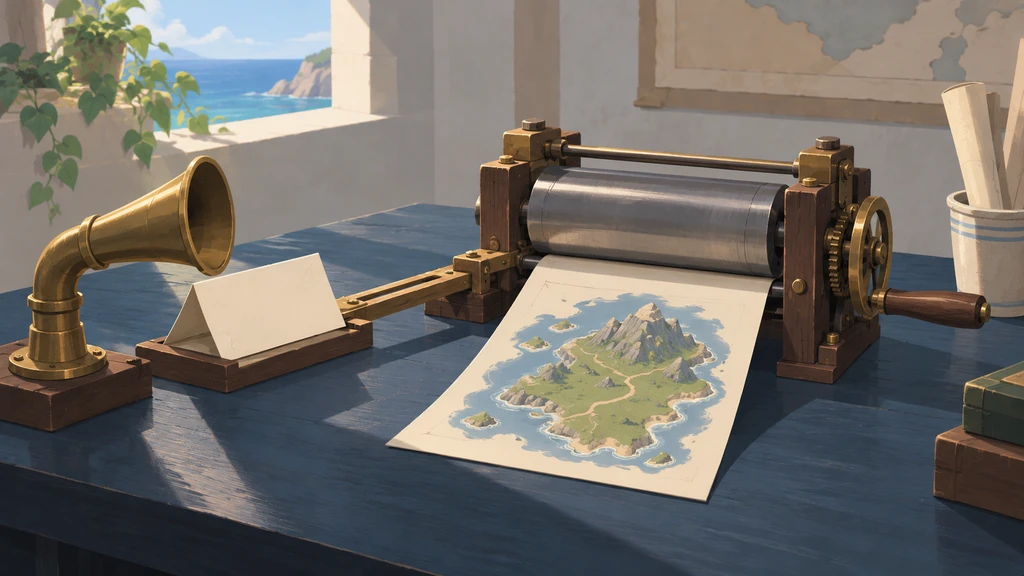
A pirate chatbot can promise to draw a map. Sending an actual image takes another step: the application has to call an image generator.
This April 2023 Telegram bot example uses a simple convention. GPT puts an image description inside a <draw> tag; the bot extracts it, requests the image, and sends it back to the chat.
Asking GPT for a drawing
Add a drawing instruction to GPT’s system message:
If a user asks for a drawing, determine the requested subject, and enclose it within a <draw> tag. Optionally, include a witty description, ensuring there's only one <draw> tag per response. For instance, if the user requests a rum bottle sketch, reply with: <draw>a pirate holding a bottle of rum</draw>. Keep the entire description inside the tag.If GPT decides you want an image, it will output the response like this:
Astartsky: hey matee
Pirate: Arrr, ahoy matee! How's life on the high seas treating ya, matee? Anything exciting happening in yer adventures?
Astartsky: heard you're a skilled painter, matee! mind drawing me a map of the island?
Pirate: Arrr, yer heard right, matee! This swine-pirate boy's got some mad painting skills! I'd be happy to draw ye a map of the island. Just give me a moment to grab me paints and me trusty paintbrush. \n\n<draw>a map of the island</draw>\n\nHere ye go, matee! A map of the island, complete with all the landmarks ye need to navigate yer way to treasure and adventure! Arrr!
The bot can then extract a map of the island from the reply and send that description to the image generator.
Example implementation
Here is a simplified TypeScript example for a Telegram chatbot. It uses the OpenAI SDK v3 API; the openai and bot setup modules are omitted.
Editorial correction: The system role below has been corrected from SYSTEM to system, as defined in the SDK v3.3.0 reference. The snippet has not been tested for execution.
import { openai } from './openai';
import { bot } from './bot';

// System message containing the drawing instruction for GPT
const drawingInstruction = {
  role: 'system',
  content: `If a user asks for a drawing, determine the requested subject, and enclose it within a <draw> tag. Optionally, include a witty description, ensuring there's only one <draw> tag per response. For instance, if the user requests a rum bottle sketch, reply with: <draw>a pirate holding a bottle of rum</draw>. Keep the entire description inside the tag.`,
};

// Function to parse a string based on a list of regular expressions
const parseFromTemplate = (
  input: string,
  regexList: RegExp[],
): string | null => {
  for (const regex of regexList) {
    const match = regex.exec(input);

    if (match && match[1]) {
      return match[1];
    }
  }

  return null;
};

// Function to handle user input, generate GPT response, and send it back
const handleResponse = async (
  chatId: number,
  messageId: number,
  input: string,
): Promise<void> => {
  // Generate GPT response
  const gptResponse = await openai.createChatCompletion({
    model: 'gpt-3.5-turbo',
    temperature: 0.7,
    messages: [drawingInstruction, { role: 'user', content: input }],
  });

  let textResponse = gptResponse.data.choices[0].message?.content.trim();
  if (!textResponse) {
    throw new Error('Empty response from GPT');
  }

  // Check for drawing description in GPT response
  const drawingDescription = parseFromTemplate(textResponse, [
    /<draw>(.*)<\/draw>/gim,
  ]);

  // If there's a drawing description, generate image and send it
  if (drawingDescription) {
    const imageResponse = await openai.createImage({
      prompt: drawingDescription,
      n: 1,
      size: '256x256',
      response_format: 'b64_json',
      user: 'gpt',
    });

    const base64Image = imageResponse.data.data[0].b64_json;
    if (!base64Image) {
      throw new Error('No image data');
    }

    const imageBuffer = Buffer.from(base64Image, 'base64');
    textResponse = textResponse.replace(/<draw>(.*)<\/draw>/gim, '');
    // Send image response
    bot.sendPhoto(chatId, imageBuffer, { caption: drawingDescription });
  }

  // Send text response
  bot.sendMessage(chatId, textResponse, {
    reply_to_message_id: messageId,
  });
};
Historical context
OpenAI introduced native function calling on June 13, 2023, two months after this post was published. It let applications receive structured function arguments from the model instead of extracting them from prose.
This post preserves the earlier tag-parsing approach as an April 2023 experiment. For new integrations, use supported tool-calling APIs and the current SDK.